
We talk a lot about the built-in functionality ofWaveFormsand all of the instruments it enables. From the Oscilloscope to the Logic Analyzer, to the Spectrum Analyzer and Impedance Analyzer, it has got a lot ofbuilt-in functionality.

But were you aware that it’s also programmable and customizable? Over the next few weeks, we’re going to be talking a lot about the script editor and the WaveForms Software Development Kit available withWaveForms. The script editor is in-application, and the main User Interface(UI) can be accessed just like any of the other instruments, as a tab.
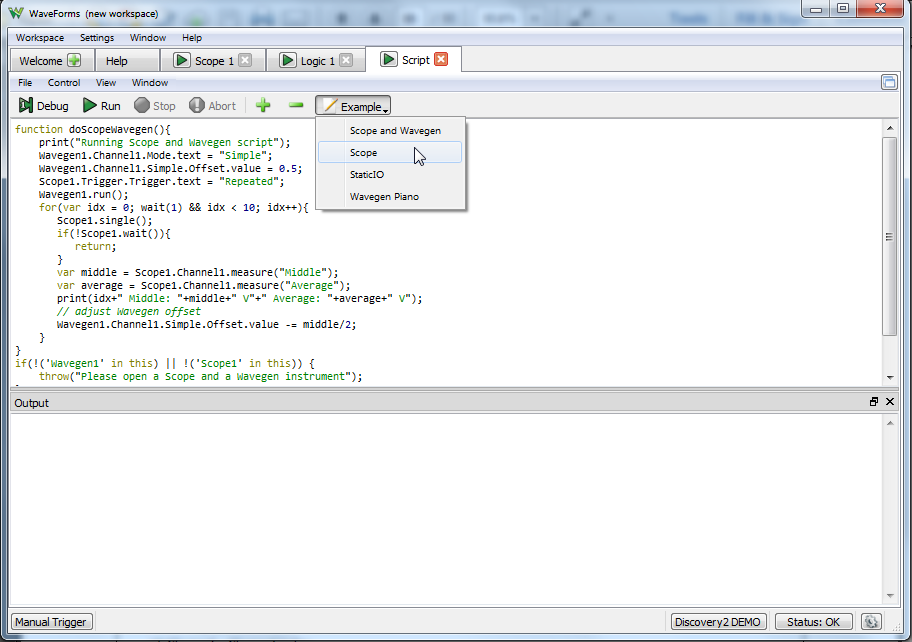
Here you can write scripts that use alone or in conjunction with the other 12 instruments. You can find example scripts in the example menu, and of course, you can always ask for help on theDigilent forum.
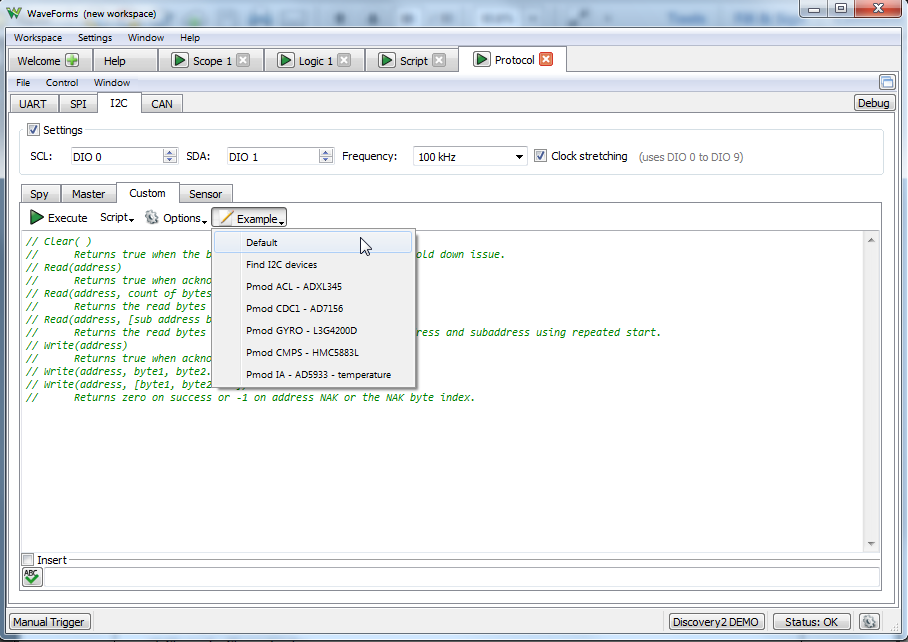
There is also script functionality built into the other instruments. For example, the custom tabs in the Protocol Analyzer. We’ll talk about all the places you can find script editing later this month.
Spoiler Alert: There are A LOT!
Now back to the WaveForms Software Development Kit. As an add-on, when you downloadWaveFormsyou can also download WaveForms SDK. WaveForms SDK is an API that allows you to build custom applications in WaveForms. Basically, it allows you to write your own program in C++ or Python that calls the various functions of the instruments in WaveForms.

There’s even awrapper for WaveForms SDK that allows you to use Java,which was written by a community member!
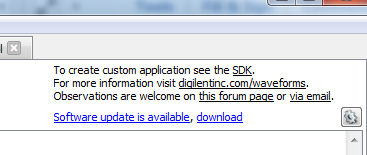
If you are in WaveForms you can click the “SDK” link in the screenshot below to open the directory to WaveForms SDK, or you can find it in the location WaveForms was installed.You pick this during the installation process.
Included in WaveForms SDK are a detailed reference manual and a bunch of examples. The WaveForms SDKreference manualhas everything you need to get started using WaveForms SDK.

This includes a description of the API structure and summary of the API usage steps:

It also includes an overview of the examples that are included:

As well as detailed information on the system, device enumeration, and device control:

它还包括Analo的使用要求g In( Oscilloscope), Analog Out (Arbitrary Waveform Generator), Analog I/O (voltmeter, power supplies, etc), Digital I/O, Digital In (Logic Analyzer), and Digital Out (Pattern Generator):

As well as specific device information:

And lastly, any functions that might have been replaced and depreciated during the update process:

For questions on WaveForms SDK, post on theDigilent Forum, or if you’ve used WaveForms SDK and have an example you’d like to share, let us know by commenting below!

